Updates, release notes, and technical write-ups about RawCull.
This is the multi-page printable view of this section. Click here to print.
Blog
Release Notes
RawCull version release notes and changelogs.
Version 1.1.7
Version 1.1.7 - March 16, 2026
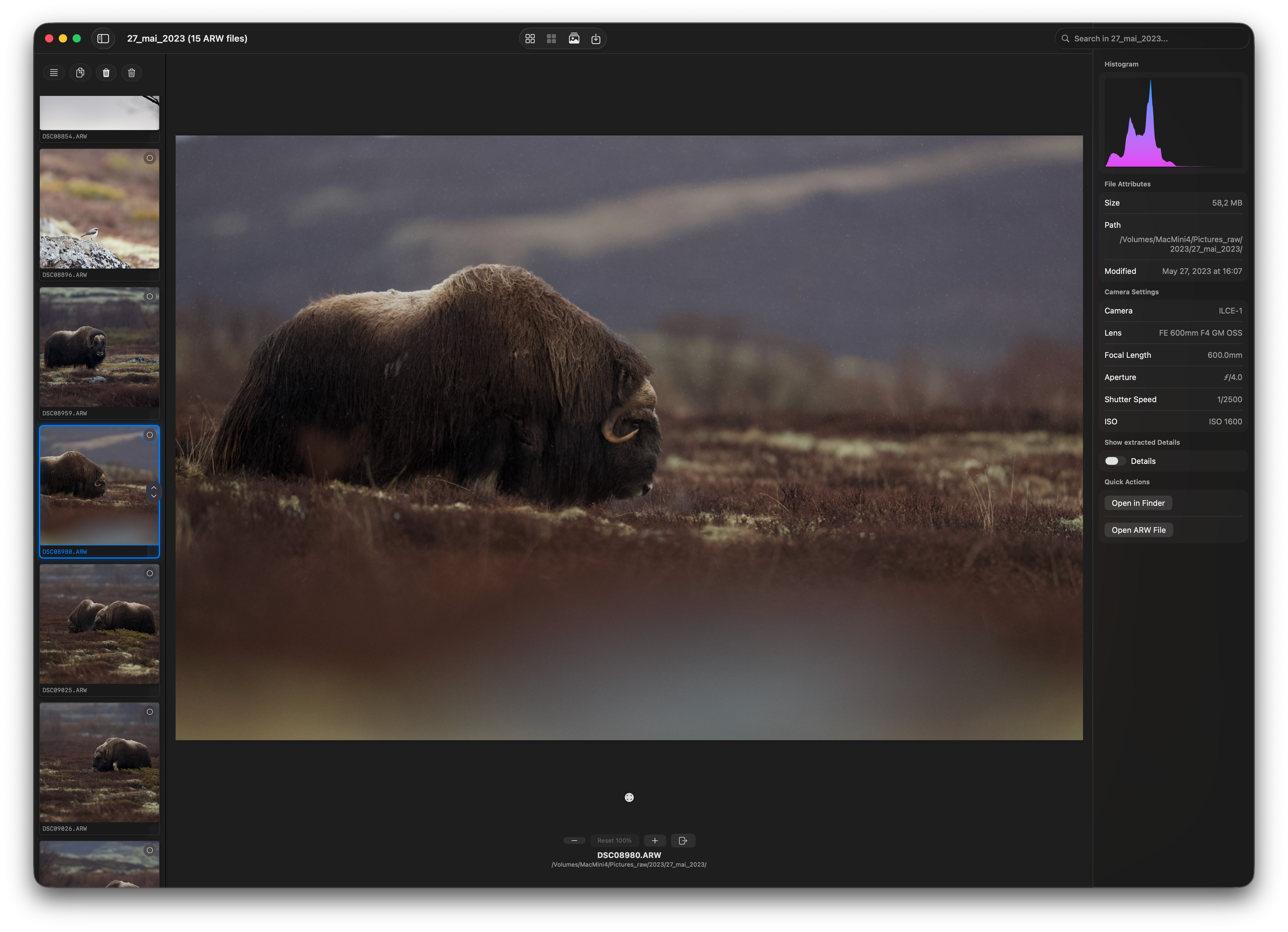
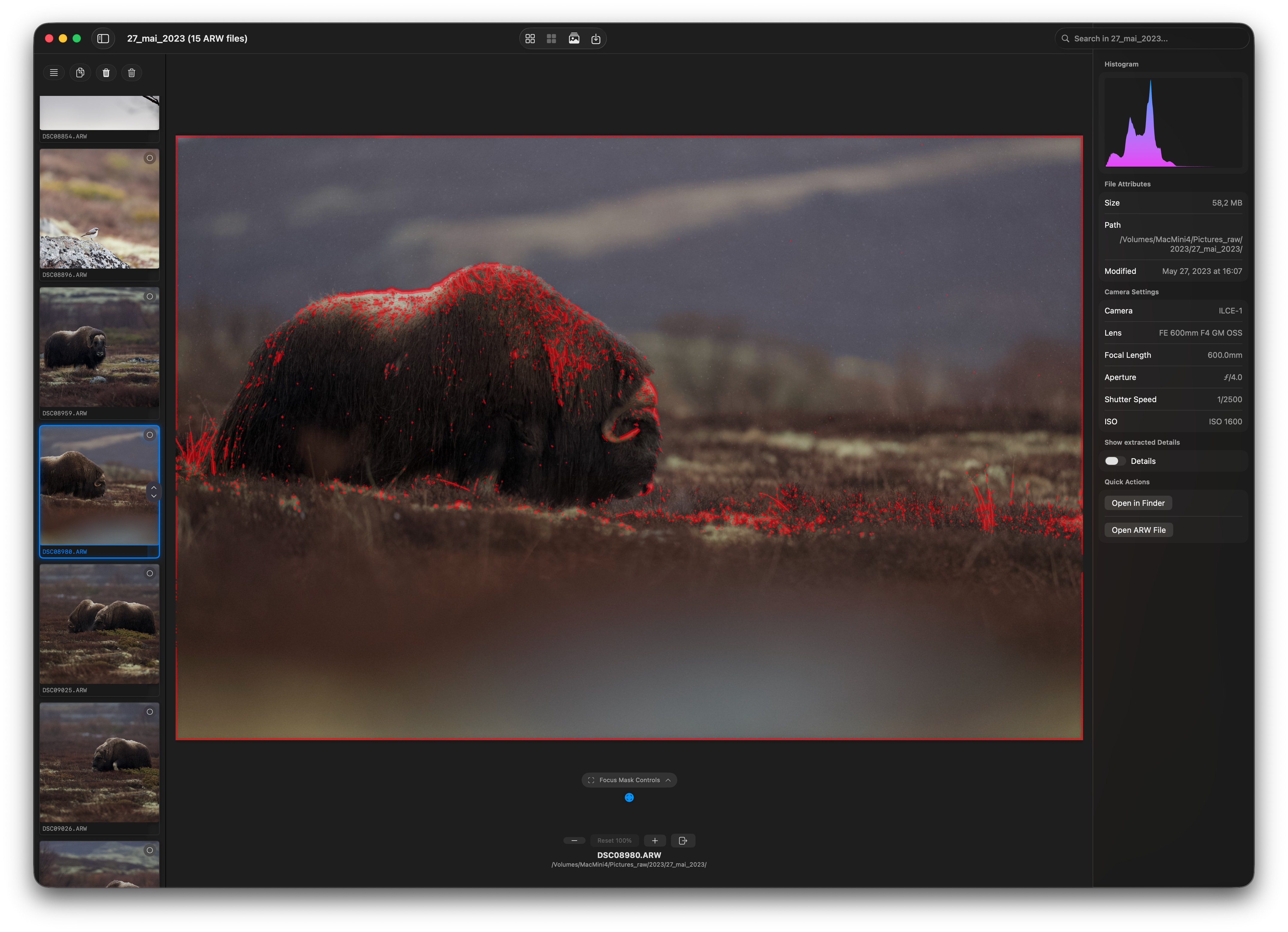
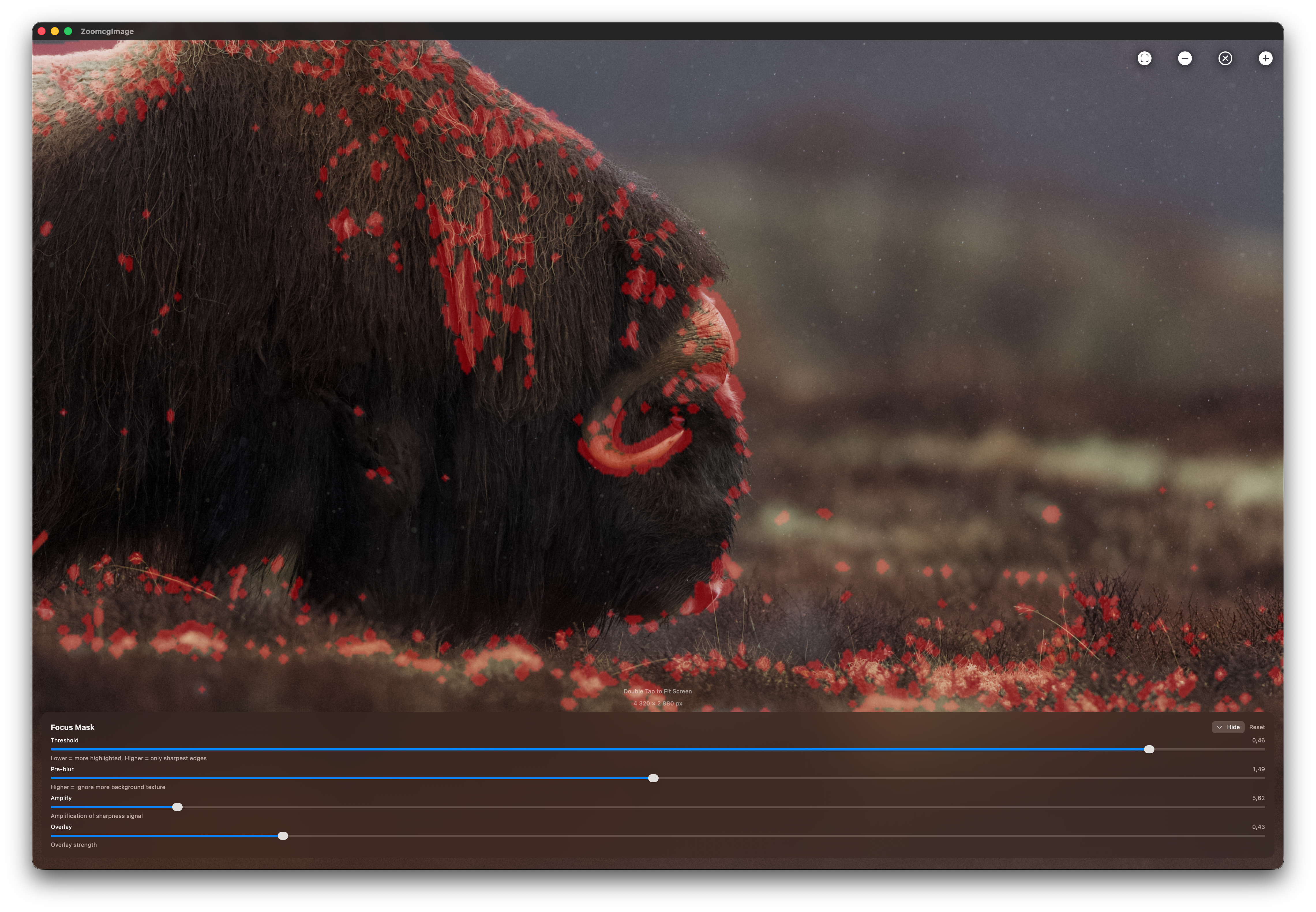
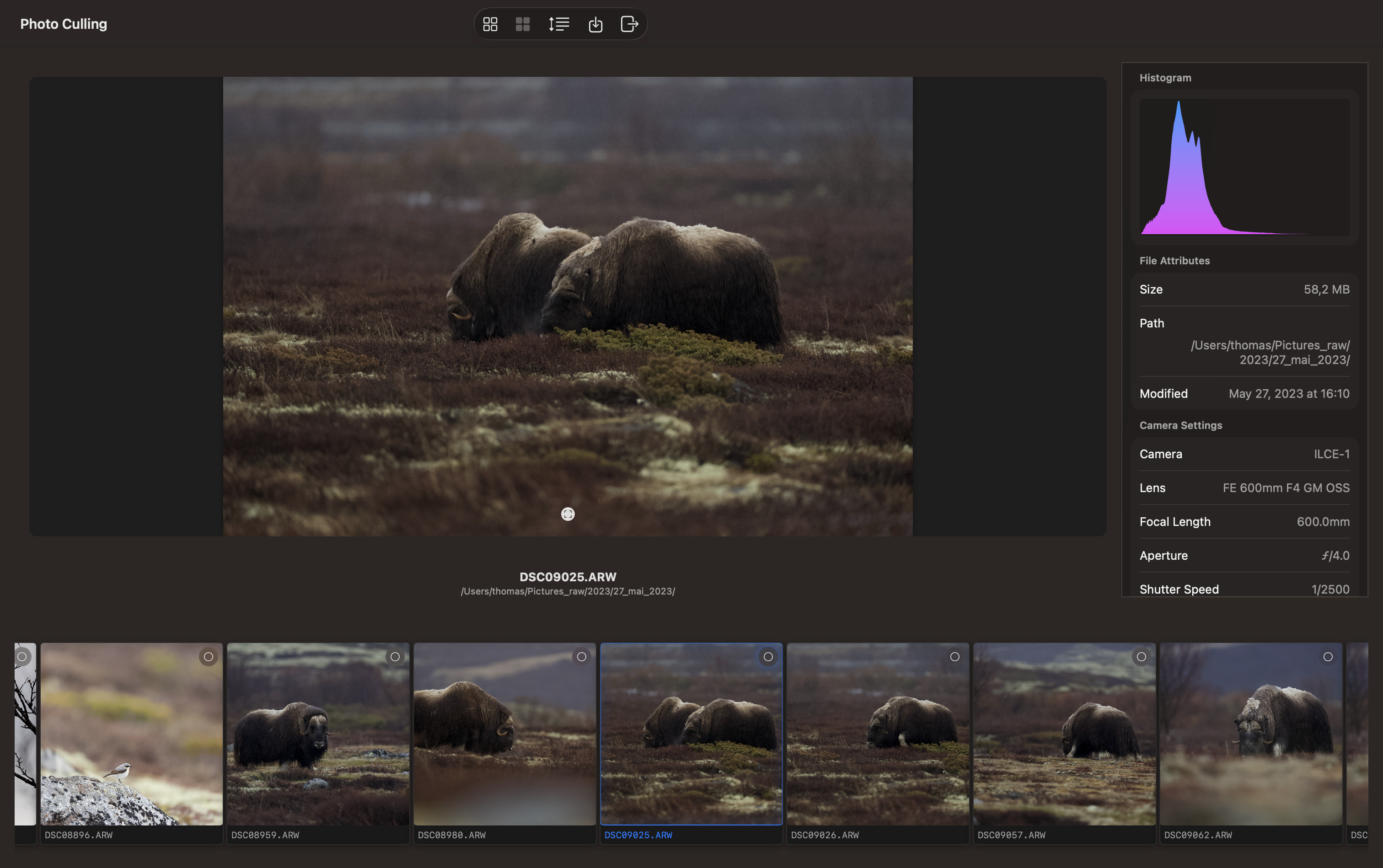
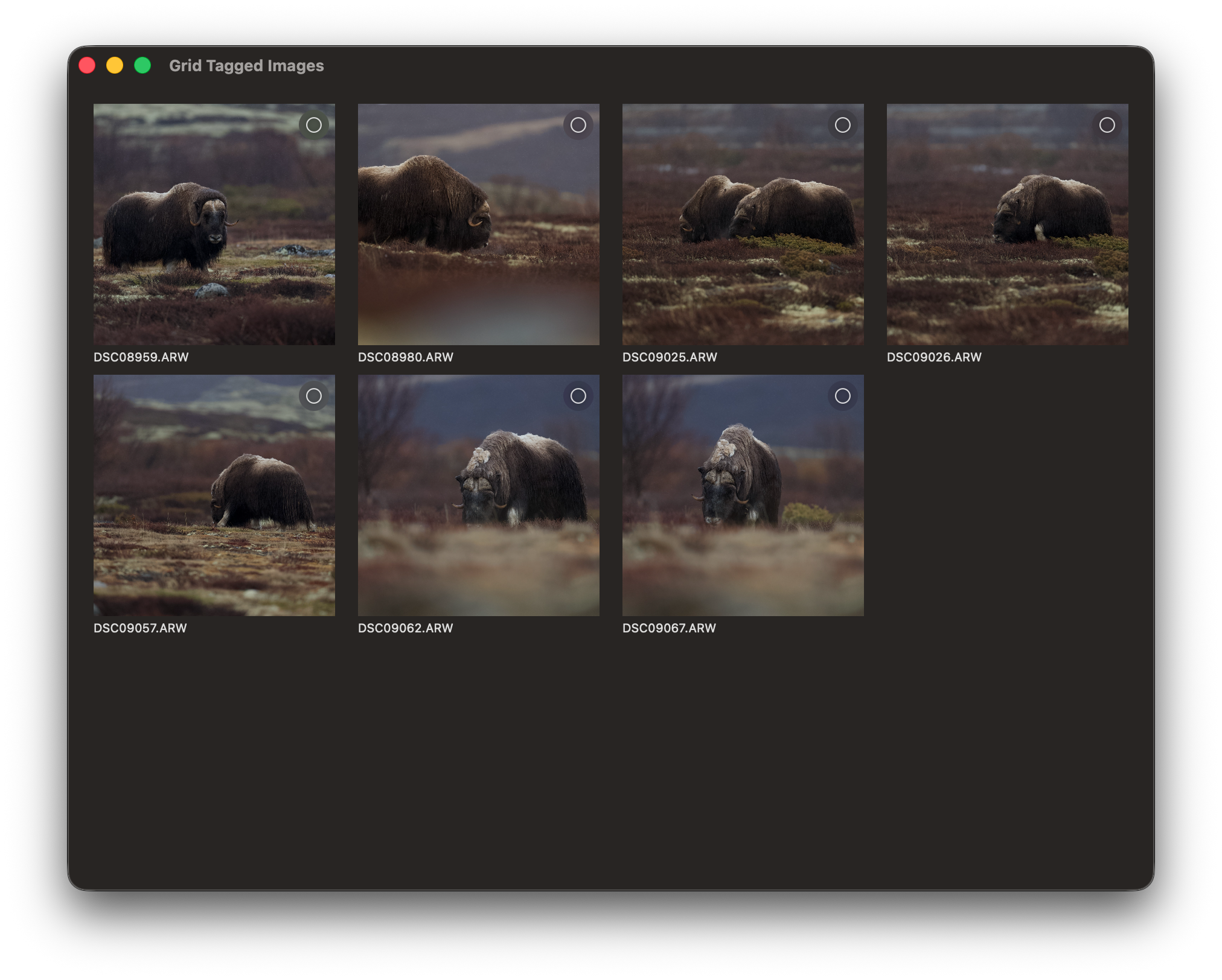
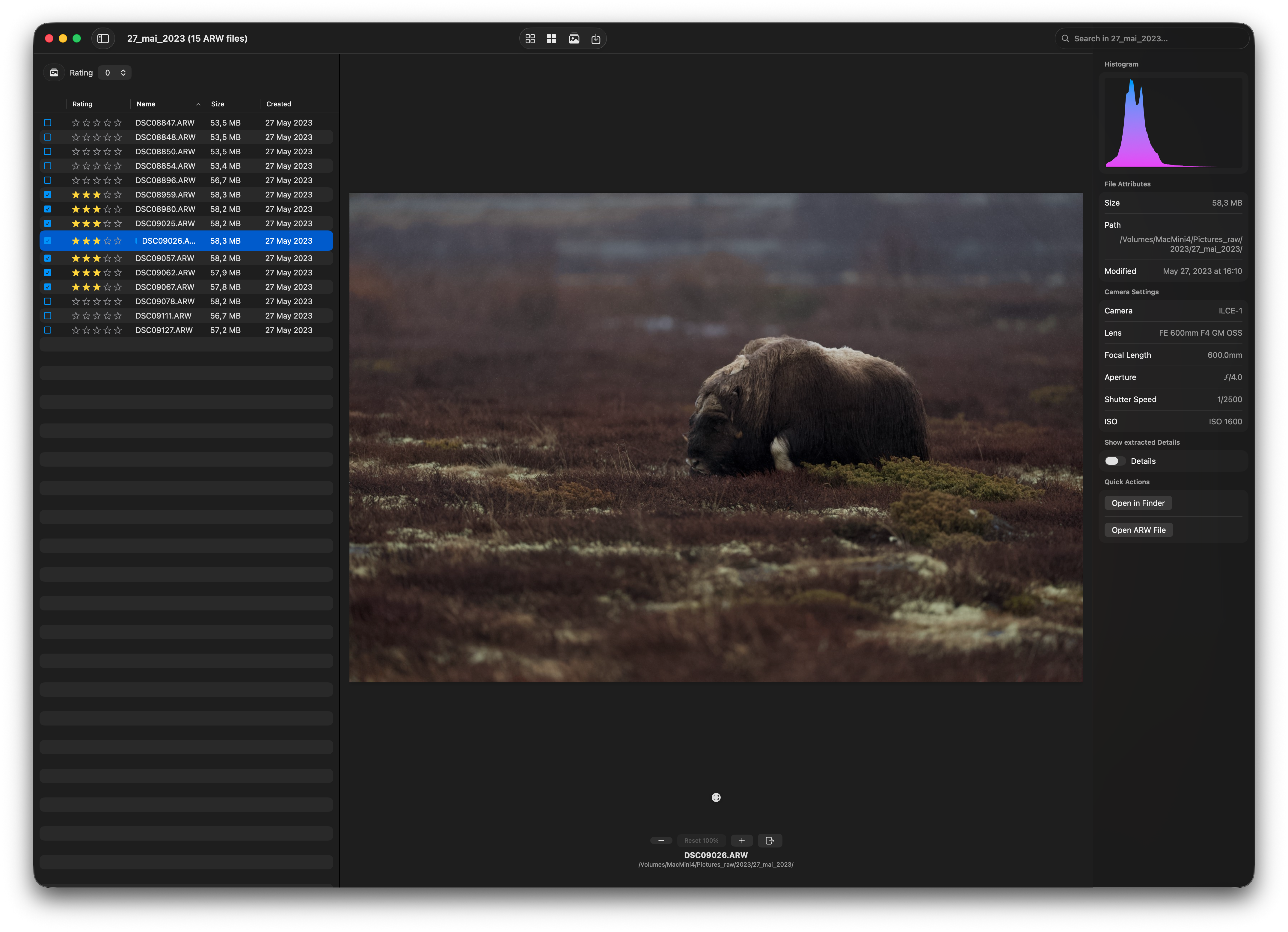
This version introduces several UI enhancements. The primary objective of this release is to optimize the UI for expedited culling processes. RawCull has been tested on 1000 ARW files and has demonstrated excellent performance on that number of files.
When opening new catalogs for ARW files, the grid and detail views may appear progressively while thumbnails are scanning. On my Mac Mini M4, equipped with 16 GB of memory, it maintains close to 900 2048-px thumbnails in memory. The caching system evicts images from memory when requested and loads new images from the disk cache.
Updated views:

Technical Deep Dives
Technical articles about RawCull’s implementation, architecture, and advanced concepts.
Memory Cache
The cache system is a three-layer design: Memory Cache → Disk Cache → Source (RAW file). It’s built around four cooperating components.
Memory Cache Policy
Cost is calculated per cached image as:
$$\text{Cost} = (\text{width in pixels}) \times (\text{height in pixels}) \times \text{bytes per pixel} \times 1.1$$Where:
- Pixel dimensions: Actual pixel size from
image.representationsor logical image size fallback - Bytes per pixel: Default is 4 (RGBA: Red, Green, Blue, Alpha), but configured to 6 in this case
- 1.1 multiplier: 10% overhead buffer for NSImage wrapper and caching metadata
With 2048×1372 thumbnail size and 6 bytes/pixel:
$$\text{Cost per image} = 2048 \times 1372 \times 6 \text{ bytes/pixel} \times 1.1$$$$= 4,194,304 \times 6 \times 1.1 = 19.4 \text{ MB}$$Count Limit Calculation
Count limit is currently fixed at 10,000 as the cap, but it is controlled by maximum memory allocated for the app. Max memory allocated is 10,000 MB (10 GB).
$$\text{Count limit} = \frac{\text{Total RAM Cache}}{\text{Cost per image}}$$$$= \frac{10000 \text{ MB}}{19.4 \text{ MB}} \approx 515 \text{ images}$$Component 1: DiscardableThumbnail
This is the cache entry wrapper. Every thumbnail stored in memory is wrapped in this class.
Cost calculation is the most important part — it gives NSCache accurate RAM accounting:
cost = (sum of all representation pixel costs) × costPerPixel × 1.1 overhead
For a 2048×1365 RGBA thumbnail: 2048 × 1365 × 4 × 1.1 ≈ 12.3MB
The NSDiscardableContent implementation uses OSAllocatedUnfairLock for thread safety and tracks an accessCount — NSCache will only call discardContentIfPossible() when accessCount == 0, meaning the thumbnail isn’t actively being displayed. This is the correct and safe pattern.
One nuance: once isDiscarded = true, beginContentAccess() returns false. Your consuming code should handle this by falling back to disk or re-generating the thumbnail.
Component 2: CacheDelegate
A lightweight eviction monitor. It intercepts willEvictObject from NSCache and increments a thread-safe counter using NSLock. This feeds the cache statistics dashboard.
It does not influence eviction decisions — it only observes them. NSCache makes all eviction decisions autonomously based on cost limits and system memory pressure.
Component 3: SharedMemoryCache (actor)
The central coordinator. Key design decisions:
Actor isolation split:
memoryCache(NSCache) isnonisolated(unsafe)— allowing synchronous lookups from any thread without actor hops. This is correct because NSCache is internally thread-safe.- Configuration state (
_costPerPixel,isConfigured, limits) is actor-isolated — requiringawaitto access safely.
Configuration flow:
ensureReady() → SettingsViewModel → calculateConfig() → applyConfig()
Settings drive two key values: memoryCacheSizeMB (default 5000MB) and thumbnailCostPerPixel (default 4). The countLimit of 10,000 is intentionally high so memory, not item count, is the real constraint.
Memory pressure response (three levels):
| Level | Action |
|---|---|
.normal | Full cache capacity, notify UI |
.warning | Reduce totalCostLimit to 60% → NSCache evicts LRU entries |
.critical | removeAllObjects() + set 50MB floor |
Known issue: the .warning handler reduces from memoryCache.totalCostLimit (current value) rather than the original configured limit, causing compounding reductions on repeated warnings. The .normal handler also doesn’t restore the limit. Fix:
private var _configuredCostLimit: Int = 0

// in applyConfig():
_configuredCostLimit = config.totalCostLimit

// in handleMemoryPressureEvent():
case .normal:
    memoryCache.totalCostLimit = _configuredCostLimit  // restore
case .warning:
    memoryCache.totalCostLimit = Int(Double(_configuredCostLimit) * 0.6)
Component 4: DiskCacheManager
Acts as the L2 cache between memory and the original RAW source. Thumbnails missed in RAM are looked up here before triggering an expensive RAW decode. pruneDiskCache(maxAgeInDays:) handles housekeeping.
Cache Lifecycle — End to End
Request thumbnail for URL
        │
        ▼
SharedMemoryCache.object(forKey:)  ←── synchronous, no await
        │
   Hit? ──Yes──► beginContentAccess() → display → endContentAccess()
        │
        No
        ▼
DiskCacheManager lookup
        │
   Hit? ──Yes──► decode → wrap in DiscardableThumbnail → setObject(cost:) → display
        │
        No
        ▼
Decode from RAW source → same as disk hit path above
Statistics Flow
Cache hits    → updateCacheMemory() → cacheMemory counter
Cache misses  → updateCacheDisk()   → cacheDisk counter
Evictions     → CacheDelegate       → evictionCount
                        │
                        ▼
              getCacheStatistics() → CacheStatistics(hits, misses, evictions, hitRate)
Summary Assessment
The system is well-designed for a photo culling app with these strengths: pixel-accurate cost tracking, proper NSDiscardableContent semantics, actor-based configuration safety with synchronous cache access, and reactive memory pressure handling. The only concrete bug is the compounding warning reduction described above — everything else is solid production-quality code.
NSCache — Detailed Internals
What NSCache Is
NSCache is Apple’s thread-safe, in-memory key-value store designed specifically for caching expensive-to-recreate objects. It behaves like a dictionary but with automatic eviction — it will silently remove entries when it decides memory is needed. Unlike a dictionary, you never get a guarantee an object is still there when you look it up.
Memory Management Model
NSCache tracks memory usage through two independent constraints:
totalCostLimit — the primary constraint in your app
- You set this to
memoryCacheSizeMB × 1024 × 1024(e.g. 5000MB) - Every object is stored with an associated
costvalue - NSCache tracks a running total of all costs
- When the total exceeds the limit, it starts evicting
countLimit — secondary constraint
- You’ve set this to 10,000 (effectively disabled as a constraint)
- NSCache evicts if the number of objects exceeds this, regardless of cost
- By setting it high, you ensure only
totalCostLimitdrives eviction
Important nuance: Apple’s documentation explicitly states that cost limits are “not a strict limit” — NSCache may exceed the limit briefly and evict asynchronously, or evict proactively before the limit is reached under system pressure. You cannot rely on it as a hard memory cap.
Eviction Policy
NSCache uses an LRU-like (Least Recently Used) policy, but it’s not a strict LRU. The actual algorithm is private and undocumented, but empirically it:
- Prioritises evicting objects that haven’t been accessed recently
- Considers object cost — higher cost objects may be evicted preferentially
- Responds to both internal limits AND system-wide memory pressure signals from the OS
When the OS sends a memory warning (which your DispatchSource.makeMemoryPressureSource also receives), NSCache independently starts evicting entries — even before your handler fires. This means NSCache and your pressure handler are complementary, not redundant.
How NSDiscardableContent Changes Behaviour
When a cached object conforms to NSDiscardableContent, NSCache gets additional eviction control:
Normal object (no NSDiscardableContent):
NSCache decides to evict → object removed immediately → delegate notified
NSDiscardableContent object (your DiscardableThumbnail):
NSCache decides to evict
    → calls discardContentIfPossible()
        → if accessCount == 0: isDiscarded = true ✓ (eviction proceeds)
        → if accessCount > 0:  cannot discard     ✗ (object protected, stays in cache)
    → if discarded: calls delegate willEvictObject → object removed
This means a thumbnail currently being displayed or processed (accessCount > 0 via beginContentAccess()) is immune to eviction during that window. This is exactly the right behaviour — you never want NSCache to pull an image out from under an active view.
The access pattern your consumers should follow:
if let thumbnail = SharedMemoryCache.shared.object(forKey: url) {
    guard thumbnail.beginContentAccess() else {
        // Was discarded between lookup and access — treat as cache miss
        return fallbackToDisk()
    }
    defer { thumbnail.endContentAccess() }
    // Safe to use thumbnail.image here
    display(thumbnail.image)
}
The setObject(forKey:cost:) Call
When you call:
memoryCache.setObject(obj, forKey: key, cost: obj.cost)
NSCache does the following internally:
- Stores the key-value pair
- Adds
costto its running total - Checks if
totalCostLimitorcountLimitis now exceeded - If exceeded, begins evicting LRU candidates until back under limit
- For
NSDiscardableContentobjects, callsbeginContentAccess()automatically on insertion — you must balance this withendContentAccess()after insertion if you don’t intend to immediately use it
That last point is subtle — NSCache calls beginContentAccess() on insert, so the object starts with accessCount = 1. NSCache itself calls endContentAccess() when it’s done with the insertion bookkeeping. This is handled internally and you don’t need to manage it manually on insert.
Thread Safety Internals
NSCache uses internal locking so all operations — object(forKey:), setObject(_:forKey:cost:), removeObject(forKey:), removeAllObjects() — are safe to call from any thread simultaneously. This is why your nonisolated(unsafe) access pattern is correct:
// These are all safe to call from any thread, no actor hop needed:
nonisolated func object(forKey key: NSURL) -> DiscardableThumbnail? {
    memoryCache.object(forKey: key)  // internally locked
}
The nonisolated(unsafe) annotation simply tells Swift’s concurrency checker “I know what I’m doing, don’t enforce actor isolation here” — the actual thread safety comes from NSCache itself.
What Happens During removeAllObjects()
Your critical memory pressure handler calls this:
memoryCache.removeAllObjects()
memoryCache.totalCostLimit = 50 * 1024 * 1024
Internally this:
- Acquires NSCache’s internal lock
- For each object: calls
discardContentIfPossible()— objects with activeaccessCountare marked but may not be immediately removed - Calls
willEvictObjecton yourCacheDelegatefor each evicted entry - Clears the internal storage
- Resets the running cost total to 0
- Releases the lock
After this, any in-flight object(forKey:) calls return nil, forcing a disk or RAW fallback — which is the correct graceful degradation under critical pressure.
Cost Accounting in Your System
With your default settings (5000MB limit, 4 bytes/pixel, 2048px thumbnails):
Per thumbnail cost:  2048 × 1365 × 4 × 1.1 ≈ 12.3MB
Max thumbnails:      5000MB ÷ 12.3MB        ≈ 406 thumbnails
With a 20,000MB user-configured maximum:
Max thumbnails: 20,000MB ÷ 12.3MB ≈ 1,626 thumbnails
NSCache will enforce these limits automatically through LRU eviction, keeping the most recently accessed thumbnails resident and silently dropping older ones — which is exactly the right behaviour for a photo culling app where the user browses sequentially.
Thumbnails
RawCull processes Sony ARW (Alpha Raw) image files through two mechanisms:
- Thumbnail Generation: Creates optimized 2048×1372 thumbnails for the culling UI
- Embedded Preview Extraction: Extracts full-resolution JPEG previews from ARW metadata for detailed inspection
Both systems integrate with a hierarchical two-tier caching architecture (RAM → Disk) to minimize repeated file processing. The system has been refactored to maximize memory utilization and minimize unnecessary evictions.
Thumbnail Specifications
Standard Dimensions
All thumbnails are created at a fixed size to ensure consistent performance and caching:
| Property | Value |
|---|---|
| Width | 2048 pixels |
| Height | 1372 pixels |
| Aspect Ratio | ~1.49:1 (rectangular) |
| Color Space | RGBA |
| Cost Per Pixel | 6 bytes (configurable 4–8) |
| Memory Per Thumbnail | 16.86 MB base + ~10% overhead = ~19.4 MB |
Why 2048×1372?
Original ARW dimensions:  8640× 5760 pixels (typical Sony Alpha)
                            ↓
            Downsampled by factor of ~4.2x
                            ↓
        2048×1372 thumbnails
                            ↓
    Perfect balance:
    - Large enough for detail recognition
    - Small enough for reasonable memory footprint
    - Maintains original aspect ratio
ARW File Format
Structure
Sony ARW files are TIFF-based containers with multiple embedded images:
ARW File (TIFF-based)
├── Index 0: Small thumbnail (≤256×256px)
├── Index 1: Preview JPEG (variable resolution)
├── Index 2: Maker Notes & EXIF Data
└── Index 3+: Raw Sensor Data
Image Discovery
The extraction system uses CGImageSource to enumerate all images:
let imageCount = CGImageSourceGetCount(imageSource)

for index in 0 ..< imageCount {
    let properties = CGImageSourceCopyPropertiesAtIndex(imageSource, index, nil)
    let width = getWidth(from: properties)
    let isJPEG = detectJPEGFormat(properties)
}
JPEG Detection
Identifies JPEG payloads using two markers:
- JFIF Dictionary: Presence of
kCGImagePropertyJFIFDictionary - TIFF Compression Tag: Compression value of
6(TIFF 6.0 JPEG)
let hasJFIF = (properties[kCGImagePropertyJFIFDictionary] as? [CFString: Any]) != nil
let compression = tiffDict?[kCGImagePropertyTIFFCompression] as? Int
let isJPEG = hasJFIF || (compression == 6)
Dimension Extraction
Retrieves image dimensions from multiple sources in priority order:
1. Root Properties: kCGImagePropertyPixelWidth
2. EXIF Dictionary: kCGImagePropertyExifPixelXDimension
3. TIFF Dictionary: kCGImagePropertyTIFFImageWidth
4. Fallback: Return nil if none available
Thumbnail Creation Pipeline
Source File Processing
When a user opens a RawCull project with ARW files:
ARW File (10-30 MB)
    ↓
[RAW Decoder]
    - Load raw sensor data
    - Apply Bayer demosaicing
    - Color correction
    ↓
Full Resolution Image (RGB, 3 bytes/pixel)
    ↓
[Resize Engine]
    - Maintain aspect ratio
    - Bilinear or lanczos filtering
    ↓
2048 × 1372 RGB Thumbnail
    - 16.86 MB uncompressed
    - 6 bytes/pixel (including alpha)
Extraction Process
private nonisolated func extractSonyThumbnail(
    from url: URL,
    maxDimension: CGFloat,  // 2048 for standard size
    qualityCost: Int = 6     // Configurable 4-8 bytes/pixel
) async throws -> CGImage
Phase 1: Image Source Creation
let options = [kCGImageSourceShouldCache: false] as CFDictionary
guard let source = CGImageSourceCreateWithURL(url as CFURL, options) else {
    throw ThumbnailError.invalidSource
}
- Opens ARW file via ImageIO
kCGImageSourceShouldCache: falseprevents intermediate caching
Phase 2: Thumbnail Generation
let thumbOptions: [CFString: Any] = [
    kCGImageSourceCreateThumbnailFromImageAlways: true,
    kCGImageSourceCreateThumbnailWithTransform: true,
    kCGImageSourceThumbnailMaxPixelSize: maxDimension,
    kCGImageSourceShouldCacheImmediately: false
]

guard var image = CGImageSourceCreateThumbnailAtIndex(
    source, 0, thumbOptions as CFDictionary
) else {
    throw ThumbnailError.generationFailed
}
| Option | Value | Purpose |
|---|---|---|
kCGImageSourceCreateThumbnailFromImageAlways | true | Always create, even if embedded exists |
kCGImageSourceCreateThumbnailWithTransform | true | Apply EXIF orientation |
kCGImageSourceThumbnailMaxPixelSize | 2048 | Constrains to 2048×1372 |
kCGImageSourceShouldCacheImmediately | false | We manage caching |
Phase 3: Quality Enhancement (Optional)
If costPerPixel ≠ 6, the image is re-rendered with appropriate interpolation:
let qualityMapping: [Int: CGInterpolationQuality] = [
    4: .low,
    5: .low,
    6: .medium,   // Default, balanced
    7: .high,
    8: .high
]
Phase 4: Return Thread-Safe Image
return image // CGImage is Sendable, safe for actor boundary
CGImage is returned (not NSImage) because it is Sendable and can cross actor boundaries safely.
Phase 5: Storage (in Actor Context)
let nsImage = NSImage(cgImage: image, size: NSSize(...))
storeInMemoryCache(nsImage, for: url)  // RAM cache immediately

Task.detached(priority: .background) { [cgImage] in
    await self.diskCache.save(cgImage, for: url)
}
Two-Tier Cache
Cache Tiers
┌─────────────────────────────────────────────┐
│          Thumbnail Requested                │
└────────────────┬────────────────────────────┘
                 │
                 ▼
        ┌────────────────────┐
        │  Memory Cache?     │
        │  (NSCache)         │
        └────────┬───────────┘
                 │
       ┌─────────┴──────────┐
       │ HIT (70.2%)        │ MISS (29.8%)
       ▼                    ▼
    Return from       Disk Cache?
    Memory            (FileSystem)
                           │
                    ┌──────┴──────┐
                    │ HIT          │ MISS
                    │ (29.8%)      │
                    ▼              ▼
                 Read from     Decompress
                 Disk, Add     Original ARW,
                 to Memory     Create Thumbnail

    Performance: ~instant    ~instant      ~100-500ms
                 (in-memory)  (disk I/O)    (CPU-bound)
Tier 1: RAM Cache (NSCache)
Managed by SharedMemoryCache actor with dynamic configuration:
let memoryCache = NSCache<NSURL, DiscardableThumbnail>()
memoryCache.totalCostLimit = dynamicLimit  // Based on system RAM
memoryCache.countLimit = 10_000             // High; memory is limiting factor
Characteristics:
- LRU Eviction: Least-recently-used thumbnails removed when cost limit exceeded
- Protocol: Implements
NSDiscardableContentfor OS-level memory reclamation - Thread-Safe: Built-in synchronization by NSCache
- Cost-Aware: Respects pixel memory, not item count
- Hit Rate: 70.2% (observed in typical workflows)
Tier 2: Disk Cache
// Location: ~/.RawCull/thumbcache/[projectID]/
// Format: JPEG compressed at 0.7 quality
// Size: 3-5 MB per thumbnail (82-91% compression)
Characteristics:
- Hit Rate: 29.8% (complements memory cache)
- Latency: 50-200 ms (disk I/O + decompression)
- Persistence: Survives app restart
- Automatic Promotion: Disk hits loaded to memory for next access
Disk cache representation formats:
| Format | Size | Advantages |
|---|---|---|
| PNG | 3-5 MB | Lossless, fast decode |
| HEIF | 2-4 MB | Better compression, hardware acceleration |
| JPEG | 1-2 MB | Fastest, good for fast browsing |
Storage location: ~/.RawCull/thumbcache/[projectID]/
Embedded Preview Extraction
For detailed inspection, RawCull can extract full-resolution JPEG previews directly from ARW metadata, providing superior quality compared to generated thumbnails.
Selection Strategy
The system selects the widest JPEG from all images embedded in the ARW:
for index in 0 ..< imageCount {
    let properties = CGImageSourceCopyPropertiesAtIndex(imageSource, index, nil)
    if let width = getWidth(from: properties), isJPEG(properties) {
        if width > targetWidth {
            targetIndex = index
            targetWidth = width
        }
    }
}
Sony typically stores higher-quality previews at later indices, so the widest JPEG maximizes quality.
Thumbnail vs. Full Preview
| Aspect | Thumbnail | Full Preview |
|---|---|---|
| Source | Generic ImageIO (may use embedded or generate) | ARW embedded JPEG specifically |
| Quality Control | Parameter-driven (cost per pixel) | Full resolution preservation |
| Downsampling | Automatic via CGImageSourceThumbnailMaxPixelSize | Conditional, only if needed |
| Use Case | Culling grid, rapid browsing | Detailed inspection, full-screen |
| Performance | Fast (200-500 ms) | Medium (500 ms–2s with decode) |
Downsampling Decision
let maxPreviewSize: CGFloat = fullSize ? 8640 : 4320

if CGFloat(embeddedJPEGWidth) > maxPreviewSize {
    // Downsample to reasonable size
} else {
    // Use original size (never upscale)
}
- If embedded JPEG is larger than target: downsample to preserve memory
- If embedded JPEG is smaller: preserve original (never upscale)
fullSize=true: 8640px threshold (professional workflows)fullSize=false: 4320px threshold (balanced quality/performance)
Resizing Implementation
private func resizeImage(_ image: CGImage, maxPixelSize: CGFloat) -> CGImage? {
    let scale = min(maxPixelSize / CGFloat(image.width), maxPixelSize / CGFloat(image.height))
    guard scale < 1.0 else { return image }  // Already smaller

    // Draw into new context with .high interpolation
    context.interpolationQuality = .high
    context.draw(image, in: CGRect(x: 0, y: 0, width: newWidth, height: newHeight))
    return context.makeImage()
}
JPEG Export
@concurrent
nonisolated func save(image: CGImage, originalURL: URL) async {
    // Saves alongside original ARW as .jpg at maximum quality (1.0)
    let options: [CFString: Any] = [
        kCGImageDestinationLossyCompressionQuality: 1.0
    ]
}
Concurrency Model
Actor-Based Architecture
All extraction systems use Swift actors for thread-safe state:
actor ScanAndCreateThumbnails { }
actor ExtractSonyThumbnail { }
actor ExtractEmbeddedPreview { }
actor DiskCacheManager { }
Benefits:
- Serial execution prevents data races
- State mutations are automatically serialized
- No manual locks required
- Safe concurrent calls from multiple views
Isolated State
actor ScanAndCreateThumbnails {
    private var successCount = 0
    private var processingTimes: [TimeInterval] = []
    private var totalFilesToProcess = 0
    private var preloadTask: Task<Int, Never>?
}
Concurrent Extraction Without Isolation Violation
ImageIO operations are nonisolated to avoid blocking the actor:
@concurrent
nonisolated func extractSonyThumbnail(from url: URL, maxDimension: CGFloat) async throws -> CGImage {
    try await Task.detached(priority: .userInitiated) {
        let source = CGImageSourceCreateWithURL(url as CFURL, options)
        // ...
    }.value
}
Cancellation Support
func cancelPreload() {
    preloadTask?.cancel()
    preloadTask = nil
}
Error Handling
Extraction Errors
enum ThumbnailError: Error {
    case invalidSource
    case generationFailed
    case decodingFailed
}
Error Recovery
Batch Processing (non-fatal — continues to next file):
do {
    let cgImage = try await ExtractSonyThumbnail().extractSonyThumbnail(from: url, ...)
    storeInMemoryCache(cgImage, for: url)
} catch {
    Logger.process.warning("Failed to extract \(url.lastPathComponent): \(error)")
}
On-Demand Requests (returns nil; UI shows placeholder):
func thumbnail(for url: URL, targetSize: Int) async -> CGImage? {
    do { return try await resolveImage(for: url, targetSize: targetSize) }
    catch { return nil }
}
Performance Characteristics
Typical Timings (Apple Silicon, 40-50 ARW files, 16 GB Mac)
| Operation | Duration | Notes |
|---|---|---|
| File discovery | <100 ms | Non-recursive enumeration |
| Thumbnail generation (1st pass) | 5-20 s | Full extraction |
| Thumbnail generation (2nd pass) | <500 ms | All from RAM cache |
| Disk cache promotion | 100-500 ms | Load + store to RAM |
| Embedded preview extraction | 500 ms–2 s | JPEG decode + optional resize |
| Single thumbnail generation | 200-500 ms | CPU-bound ARW decode/resize |
| JPEG export | 100-300 ms | Disk write + finalize |
Memory Usage per Configuration
| Scenario | Cache Allocation | Thumbnail Capacity | Hit Rate | Use Case |
|---|---|---|---|---|
| Light editing | 5 GB | ~257 | 60-70% | Casual culling |
| Production | 10 GB | ~515 | 70-75% | Typical workflow |
| Professional | 16 GB | ~824 | 75-80% | Large batches |
Quality/Performance Tradeoff
Cost Per Pixel | Memory Per Image | 10 GB Capacity | Quality      | Speed
───────────────────────────────────────────────────────────────────────
4 bytes        | ~15 MB           | ~667           | Good         | Fast
6 bytes        | ~19.4 MB         | ~515           | Excellent    | Balanced
8 bytes        | ~25.8 MB         | ~387           | Outstanding  | Slower
Concurrency Impact
Processor Cores | Max Concurrent Tasks | Benefit
───────────────────────────────────────────────
4-core Mac      | 8 tasks              | 2-3x faster
8-core Mac      | 16 tasks             | 4-6x faster
10-core Mac     | 20 tasks             | 6-8x faster
Data Flow Summary
User initiates bulk thumbnail load
    ↓
[ScanAndCreateThumbnails.preloadCatalog()]
    ├─ Discover files (non-recursive)
    ├─ For each file (concurrency controlled):
    │   ├─ Check RAM cache
    │   │   ✓ HIT (70%): Return immediately
    │   │   ✗ MISS (30%):
    │   ├─ Check disk cache
    │   │   ✓ HIT: Load and promote to RAM
    │   │   ✗ MISS:
    │   ├─ Extract thumbnail:
    │   │   ├─ Open ARW via ImageIO
    │   │   ├─ Generate 2048×1372 thumbnail
    │   │   ├─ Apply quality enhancement (optional)
    │   │   └─ Wrap in NSImage
    │   ├─ Store in RAM (immediate)
    │   └─ Schedule async disk save (background)
    └─ Return success count

On detailed inspection:
    ↓
[JPGPreviewHandler.handle(file)]
    ├─ Check if JPG exists
    │   ✓ YES: Load and display
    │   ✗ NO:
    ├─ Call ExtractEmbeddedPreview
    │   ├─ Find all images in ARW
    │   ├─ Identify widest JPEG
    │   ├─ Decide: downsample or original?
    │   ├─ Decode JPEG
    │   └─ Return CGImage
    └─ Display full preview
Apple Frameworks Used
| Framework | Key APIs | Purpose |
|---|---|---|
| ImageIO | CGImageSource, CGImageDestination | Image decoding, thumbnail generation, embedded preview extraction |
| CoreGraphics | CGContext, CGImage | Rendering, resizing, interpolation |
| AppKit | NSImage, NSCache | Display-ready images, LRU cache |
| Foundation | URL, ProcessInfo | File operations, system memory query |
| Concurrency | actors, task groups, async/await | Safe parallel processing |
| CryptoKit | Insecure.MD5 | Disk cache filename generation |
| OSLog | Logger | Diagnostics and monitoring |
Concurrency model
Concurrency Model — RawCull
Branch:
version-1.1.0
Files covered:
RawCull/Model/ViewModels/RawCullViewModel.swiftRawCull/Actors/ScanAndCreateThumbnails.swiftRawCull/Actors/ExtractAndSaveJPGs.swiftRawCull/Views/RawCullView/extension+RawCullView.swift
Overview
See the Synchronous Code post for handling heavy synchronous work in Swift Concurrency.
RawCull uses Swift Structured Concurrency (async/await, Task, TaskGroup, and actor) throughout its two main background operations:
| Operation | Actor | Triggered from |
|---|---|---|
| Scan & create thumbnails | ScanAndCreateThumbnails | RawCullViewModel.handleSourceChange(url:) |
| Extract & save JPGs | ExtractAndSaveJPGs | extension+RawCullView.extractAllJPGS() |
Both operations follow the same two-level task pattern: an outer Task owned by the ViewModel/View layer, and an inner Task owned by the actor itself. Cancellation is explicit and must be propagated through both levels.
1. ScanAndCreateThumbnails
1.1 How the task is started
handleSourceChange(url:) in RawCullViewModel is the entry point. It is an async function that runs on @MainActor.
RawCullViewModel.handleSourceChange(url:) ← @MainActor async
Step-by-step flow:
Guard against duplicate processing — A
processedURLs: Set<URL>set prevents re-scanning a catalog URL that has already been processed in the current session. If the URL is already in the set, the thumbnail creation block is skipped entirely.Settings fetch — Before creating the actor, settings are fetched via
await SettingsViewModel.shared.asyncgetsettings(). This provides thethumbnailSizePreviewvalue used as the rendering target size.FileHandlers are built —
CreateFileHandlers().createFileHandlers(...)bundles three@MainActor-bound closures:fileHandler(_:)— updatesprogressmaxfilesHandler(_:)— setsmaxestimatedTimeHandler(_:)— setsestimatedSeconds
Actor instantiation — A fresh
ScanAndCreateThumbnails()actor is created and the handlers are injected viaawait actor.setFileHandlers(handlers).Actor reference is stored —
currentPreloadActor = actoris assigned on@MainActorbefore the outer Task is launched. This is the handle used later byabort().Outer Task is created and stored:
preloadTask = Task {
    await actor.preloadCatalog(at: url, targetSize: thumbnailSizePreview)
}
This is an unstructured
Taskwith no explicit actor context, created while on@MainActor. It immediately hops to theScanAndCreateThumbnailsactor when it callsawait actor.preloadCatalog(...).ViewModel awaits completion:
await preloadTask?.value
creatingthumbnails = false
The
handleSourceChangefunction suspends here. When the outer Task finishes — either by completing normally or by being cancelled — execution resumes andcreatingthumbnailsis set tofalse.
1.2 Inside the actor — preloadCatalog
preloadCatalog(at:targetSize:) runs on the ScanAndCreateThumbnails actor.
Step-by-step:
Ensure setup is complete —
await ensureReady()is called first. This uses asetupTask: Task<Void, Never>?pattern to guarantee thatSharedMemoryCache.shared.ensureReady()andgetSettings()are run exactly once, even ifpreloadCatalogis called concurrently.Cancel any prior inner task —
cancelPreload()is called immediately, which cancels and nils out any previously storedpreloadTaskon the actor.Create the inner Task:
let task = Task<Int, Never> {
    // reset counters
    successCount = 0
    processingTimes = []
    lastItemTime = nil
    lastEstimatedSeconds = nil

    let urls = await DiscoverFiles().discoverFiles(at: catalogURL, recursive: false)
    totalFilesToProcess = urls.count
    await fileHandlers?.maxfilesHandler(urls.count)

    return await withTaskGroup(of: Void.self) { group in
        ...
    }
}
preloadTask = task           // stored as actor-isolated state
return await task.value      // actor suspends here
This inner
Task<Int, Never>runs on the actor’s context. All mutations to actor-isolated state (successCount,processingTimes,cacheMemory, etc.) happen safely because every child task calls back into the actor viaawait self.processSingleFile(...).Controlled concurrency with TaskGroup:
let maxConcurrent = ProcessInfo.processInfo.activeProcessorCount * 2

for (index, url) in urls.enumerated() {
    if Task.isCancelled {
        group.cancelAll()
        break
    }
    if index >= maxConcurrent {
        await group.next()   // back-pressure: wait for a slot
    }
    group.addTask {
        await self.processSingleFile(url, targetSize: targetSize, itemIndex: index)
    }
}
await group.waitForAll()
return successCount
The loop checks
Task.isCancelledat the start of every iteration. If cancelled,group.cancelAll()stops any in-flight child tasks and the loop breaks.await group.next()provides back-pressure so no more thanactiveProcessorCount * 2tasks are in flight at once.Per-file processing —
processSingleFile(_:targetSize:itemIndex:)performs multipleTask.isCancelledchecks at key suspension points:- At function entry
- After the RAM cache check
- Before the Sony thumbnail extraction
- After the expensive
SonyThumbnailExtractor.extractSonyThumbnail(...)call (the most critical check — prevents writing stale data after cancellation)
Cache resolution follows a three-tier lookup:
- A. RAM cache (
SharedMemoryCache.shared) — synchronous, thread-safe viaNSCacheinternal locking - B. Disk cache (
DiskCacheManager.load(for:)) — async - C. Extract from source file — calls
SonyThumbnailExtractor.extractSonyThumbnail(...), then normalises to JPEG-backedNSImage, stores in RAM, and fires aTask.detached(priority: .background)to persist to disk
2. ExtractAndSaveJPGs
2.1 How the task is started
ExtractAndSaveJPGs is triggered from extractAllJPGS() in extension+RawCullView.swift. This function is called from the View layer and is not an async function itself — it creates an unstructured Task to bridge into async code.
View (extension+RawCullView) — extractAllJPGS()
  └─ Task {                                           ← outer Task, unstructured, inherits @MainActor
         viewModel.creatingthumbnails = true
         ...
         viewModel.currentExtractActor = extract      ← stored on ViewModel for cancellation
         await extract.extractAndSaveAlljpgs(from: url)
         viewModel.currentExtractActor = nil          ← cleaned up after completion
         viewModel.creatingthumbnails = false
     }
Step-by-step flow:
Set UI state —
viewModel.creatingthumbnails = trueis set immediately (on@MainActor).FileHandlers are built — Same pattern as
ScanAndCreateThumbnails: closures forfileHandler,maxfilesHandler, andestimatedTimeHandlerare assembled viaCreateFileHandlers().createFileHandlers(...).Actor instantiation — A fresh
ExtractAndSaveJPGs()actor is created and handlers are injected viaawait extract.setFileHandlers(handlers).Actor reference is stored —
viewModel.currentExtractActor = extractis assigned before the work begins. This is the handle required forabort()to cancel the operation.Outer Task awaits the actor:
await extract.extractAndSaveAlljpgs(from: url)The outer Task suspends here until the extraction completes or is cancelled.
Cleanup — After the call returns (normally or via cancellation),
viewModel.currentExtractActor = nilandviewModel.creatingthumbnails = falseare set.
Note: Unlike
ScanAndCreateThumbnails, the outerTaskhandle forExtractAndSaveJPGsis not stored on the ViewModel (preloadTaskis only used for thumbnails). Cancellation of the outer task therefore relies solely onabort()callingactor.cancelExtractJPGSTask().
2.2 Inside the actor — extractAndSaveAlljpgs
extractAndSaveAlljpgs(from:) runs on the ExtractAndSaveJPGs actor.
Step-by-step:
Cancel any prior inner task —
cancelExtractJPGSTask()is called first, which cancels and nils out any existingextractJPEGSTask. This is the same defensive pattern asScanAndCreateThumbnails.Create the inner Task:
let task = Task {
    successCount = 0
    processingTimes = []
    let urls = await DiscoverFiles().discoverFiles(at: catalogURL, recursive: false)
    totalFilesToProcess = urls.count
    await fileHandlers?.maxfilesHandler(urls.count)

    return await withThrowingTaskGroup(of: Void.self) { group in
        ...
    }
}
extractJPEGSTask = task       // stored as actor-isolated state
return await task.value       // actor suspends here
Note:
ExtractAndSaveJPGsuseswithThrowingTaskGroup(vs.withTaskGroupinScanAndCreateThumbnails). Errors from child tasks are silently consumed viatry?.Controlled concurrency with ThrowingTaskGroup:
let maxConcurrent = ProcessInfo.processInfo.activeProcessorCount * 2

for (index, url) in urls.enumerated() {
    if Task.isCancelled {
        group.cancelAll()
        break
    }
    if index >= maxConcurrent {
        try? await group.next()   // back-pressure
    }
    group.addTask {
        await self.processSingleExtraction(url, itemIndex: index)
    }
}
try? await group.waitForAll()
return successCount
Identical back-pressure and cancellation-check pattern to
ScanAndCreateThumbnails.Per-file processing —
processSingleExtraction(_:itemIndex:)checksTask.isCancelledat two points:- At function entry
- After
EmbeddedPreviewExtractor.extractEmbeddedPreview(from:)returns (the critical check — prevents writing a JPG to disk after cancellation)
If not cancelled, it calls
await SaveJPGImage().save(image:originalURL:)and then updates progress and ETA.
3. Task Ownership and Lifecycle Summary
                    ┌─────────────────────────────────────────┐
                    │         RawCullViewModel (@MainActor)   │
                    │                                         │
                    │  currentPreloadActor: ScanAnd...?       │
                    │  currentExtractActor: ExtractAnd...?    │
                    │  preloadTask: Task<Void, Never>?        │
                    └─────────────────────────────────────────┘
                               │                     │
          ┌────────────────────┘                     └────────────────────┐
          ▼                                                               ▼
┌─────────────────────────┐                              ┌──────────────────────────┐
│  ScanAndCreateThumbnails│                              │   ExtractAndSaveJPGs     │
│  (actor)                │                              │   (actor)                │
│                         │                              │                          │
│  preloadTask:           │                              │  extractJPEGSTask:       │
│    Task<Int, Never>?    │                              │    Task<Int, Never>?     │
│         │               │                              │         │                │
│         ▼               │                              │         ▼                │
│  withTaskGroup {        │                              │  withThrowingTaskGroup { │
│    processSingleFile()  │                              │   processSingleExtract() │
│    processSingleFile()  │                              │   processSingleExtract() │
│    ...                  │                              │   ...                    │
│  }                      │                              │  }                       │
└─────────────────────────┘                              └──────────────────────────┘
| Layer | Owner | Handle name | Type |
|---|---|---|---|
| Outer Task (thumbnails) | RawCullViewModel | preloadTask | Task<Void, Never>? |
| Inner Task (thumbnails) | ScanAndCreateThumbnails | preloadTask | Task<Int, Never>? |
| Outer Task (JPG extract) | View (extractAllJPGS) | (not stored) | Task<Void, Never> (fire-and-store pattern) |
| Inner Task (JPG extract) | ExtractAndSaveJPGs | extractJPEGSTask | Task<Int, Never>? |
4. Cancellation
4.1 abort() — the single cancellation entry point
abort() is a synchronous function on RawCullViewModel (@MainActor). It is the single point for cancelling both operations simultaneously.
func abort() {
    // --- ScanAndCreateThumbnails ---
    preloadTask?.cancel()          // (1) cancel the outer Task
    preloadTask = nil
    if let actor = currentPreloadActor {
        Task { await actor.cancelPreload() }  // (2) cancel the inner Task
    }
    currentPreloadActor = nil

    // --- ExtractAndSaveJPGs ---
    if let actor = currentExtractActor {
        Task { await actor.cancelExtractJPGSTask() }  // (3) cancel the inner Task
    }
    currentExtractActor = nil

    creatingthumbnails = false      // (4) reset UI state
}
4.2 Cancellation of ScanAndCreateThumbnails — detailed propagation
abort()
  │
  ├─ (1) preloadTask?.cancel()
  │       └─ The outer Task<Void, Never> created in handleSourceChange is marked cancelled.
  │          Because handleSourceChange is awaiting preloadTask?.value, it unblocks
  │          and execution resumes — but the outer task's closure body does NOT re-run;
  │          the await returns with cancellation.
  │
  └─ (2) Task { await actor.cancelPreload() }
          └─ cancelPreload() runs on the ScanAndCreateThumbnails actor:
               preloadTask?.cancel()    ← cancels the INNER Task<Int, Never>
               preloadTask = nil
               └─ The inner Task's isCancelled flag becomes true.
                    └─ withTaskGroup sees isCancelled == true on next loop iteration:
                         group.cancelAll()   ← propagates to all child tasks
                         break               ← stops adding new tasks
                    └─ In-flight processSingleFile() calls check Task.isCancelled
                       at multiple suspension points and return early.
                    └─ group.waitForAll() completes once all children exit.
                    └─ inner Task returns (with partial successCount).
                    └─ preloadCatalog returns.
                    └─ outer Task body completes (returns Void).
Key detail: Calling preloadTask?.cancel() on the ViewModel’s outer Task<Void, Never> does not automatically cancel the inner Task<Int, Never> inside the actor. The outer task wraps a call to actor.preloadCatalog(...) — cancelling the outer task sets its isCancelled flag but the actor’s inner task is completely separate and continues running unless explicitly cancelled. This is why actor.cancelPreload() must also be called.
4.3 Cancellation of ExtractAndSaveJPGs — detailed propagation
abort()
  │
  └─ (3) Task { await actor.cancelExtractJPGSTask() }
          └─ cancelExtractJPGSTask() runs on the ExtractAndSaveJPGs actor:
               extractJPEGSTask?.cancel()   ← cancels the INNER Task<Int, Never>
               extractJPEGSTask = nil
               └─ The inner Task's isCancelled flag becomes true.
                    └─ withThrowingTaskGroup sees isCancelled == true on next loop iteration:
                         group.cancelAll()   ← propagates to all child tasks
                         break               ← stops adding new tasks
                    └─ In-flight processSingleExtraction() calls check Task.isCancelled
                       at two suspension points and return early.
                    └─ try? await group.waitForAll() completes.
                    └─ inner Task returns (with partial successCount).
                    └─ outer Task in extractAllJPGS() unblocks:
                         viewModel.currentExtractActor = nil
                         viewModel.creatingthumbnails = false
Key detail: Because ExtractAndSaveJPGs does not have an outer Task handle stored on the ViewModel (unlike ScanAndCreateThumbnails which stores preloadTask), there is no outer task to .cancel() for this flow. Only the inner task cancel path applies. The outer Task in extractAllJPGS() will naturally complete once extractAndSaveAlljpgs returns after the inner task is cancelled.
4.4 What happens at each isCancelled check point
ScanAndCreateThumbnails — processSingleFile
| Check point | What happens on cancellation |
|---|---|
Entry to processSingleFile | Returns immediately — skips all cache lookups and I/O |
| After RAM cache lookup (before disk check) | Returns immediately — skips disk and extract |
Before SonyThumbnailExtractor.extractSonyThumbnail(...) | Returns immediately — skips the expensive extraction |
After extractSonyThumbnail returns | Returns immediately — discards the just-extracted image, does not store in cache or write to disk |
ExtractAndSaveJPGs — processSingleExtraction
| Check point | What happens on cancellation |
|---|---|
Entry to processSingleExtraction | Returns immediately — skips the embedded preview extraction |
After EmbeddedPreviewExtractor.extractEmbeddedPreview(...) returns | Returns immediately — discards the extracted image, does not call SaveJPGImage().save(...) |
4.5 State reset after cancellation
After abort() completes:
| ViewModel property | State |
|---|---|
preloadTask | nil |
currentPreloadActor | nil |
currentExtractActor | nil |
creatingthumbnails | false |
progress | unchanged (retains last value) |
max | unchanged (retains last value) |
estimatedSeconds | unchanged (retains last value) |
The processedURLs set is not cleared by abort(). A URL that was partially processed will not be re-scanned if the user selects the same source again. This is intentional — partial thumbnails generated before cancellation remain in the memory and disk caches.
5. ETA Estimation
Both actors implement a rolling ETA calculation based on recent per-item processing times.
- Estimation begins after a minimum number of items are processed:
ScanAndCreateThumbnails: afterminimumSamplesBeforeEstimation = 10itemsExtractAndSaveJPGs: afterestimationStartIndex = 10items
- The ETA uses the average of the most recent 10 inter-item intervals.
- The ETA is only updated downward — if the new estimate is higher than the previous one, it is discarded. This prevents the ETA counter from jumping upward mid-operation.
- The ETA is reported to the ViewModel via
fileHandlers?.estimatedTimeHandler(_:), which setsviewModel.estimatedSeconds.
6. Actor Isolation Guarantees
All mutable state in both actors is actor-isolated. Child tasks spawned inside withTaskGroup / withThrowingTaskGroup call back into the actor via await self.processSingleFile(...) / await self.processSingleExtraction(...), serialising all mutations (successCount, processingTimes, cacheMemory, etc.) through the actor.
SharedMemoryCache (an NSCache wrapper) is accessed synchronously from within both actors. This is safe because NSCache is internally thread-safe, and the access is documented accordingly in the code.
Background disk writes in ScanAndCreateThumbnails use Task.detached(priority: .background) with only value types (cgImage, dcache) captured — this avoids retaining the actor in the detached task and prevents actor isolation violations.
Synchronous Code
A Guide to Handling Heavy Synchronous Code in Swift Concurrency
DispatchQueue.global(qos:) — QoS Levels Compared
The key difference is priority and resource allocation by the system.
.userInitiated
- Priority: High (just below
.userInteractive) - Use case: Work the user directly triggered and is actively waiting for — e.g., loading a document they tapped, parsing data to display a screen
- Expected duration: Near-instantaneous to a few seconds
- System behavior: Gets more CPU time and higher thread priority — the system treats this as urgent
- Energy impact: Higher
.utility
- Priority: Low-medium
- Use case: Long-running work the user is aware of but not blocked by — e.g., downloading files, importing data, periodic syncs, progress-bar tasks
- Expected duration: Seconds to minutes
- System behavior: Balanced CPU/energy trade-off; the system throttles this more aggressively under load or low battery
- Energy impact: Lower (system may apply energy efficiency optimizations)
Quick Comparison
.userInitiated | .utility | |
|---|---|---|
| Priority | High | Low-medium |
| User waiting? | Yes, directly | Aware but not blocked |
| Duration | < a few seconds | Seconds to minutes |
| CPU allocation | Aggressive | Conservative |
| Battery impact | Higher | Lower |
| Thread pool | Higher-priority threads | Lower-priority threads |
Rule of thumb
// User tapped "Load" and is staring at a spinner → userInitiated
DispatchQueue.global(qos: .userInitiated).async {
    let data = loadCriticalData()
}

// Background sync / download with a progress bar → utility
DispatchQueue.global(qos: .utility).async {
    downloadLargeFile()
}
If you use .userInitiated for everything, you waste battery and CPU on non-urgent work. If you use .utility for user-blocking tasks, the UI will feel sluggish because the system may deprioritize the work.
1. The Core Problem: The Swift Cooperative Thread Pool
To understand why heavy synchronous code breaks modern Swift, you have to understand the difference between older Apple code (Grand Central Dispatch / GCD) and new Swift Concurrency.
- GCD (
DispatchQueue) uses a dynamic thread pool. If a thread gets blocked doing heavy work, GCD notices and spawns a new thread. This prevents deadlocks but causes Thread Explosion (which drains memory and battery). - Swift Concurrency (
async/await/Task) uses a fixed-size cooperative thread pool. It strictly limits the number of background threads to exactly the number of CPU cores your device has (e.g., 6 cores = exactly 6 threads). It will never spawn more.
Because there are so few threads, Swift relies on cooperation. When an async function hits an await, it says: “I’m pausing to wait for something. Take my thread and give it to another task!” This allows 6 threads to juggle thousands of concurrent tasks.
The “Choke” (Thread Pool Starvation)
If you run heavy synchronous code (code without await) on the Swift thread pool, it hijacks the thread and refuses to give it back.
If you request 6 heavy image extractions at the same time, all 6 Swift threads are paralyzed. Your entire app’s concurrency system freezes until an image finishes. Network requests halt, and background tasks deadlock.
2. What exactly is “Blocking Synchronous Code”?
Synchronous code executes top-to-bottom without ever pausing (it lacks the await keyword). Blocking code is synchronous code that takes a “long time” to finish (usually >10–50 milliseconds), thereby holding a thread hostage.
The 3 Types of Blocking Code:
- Heavy CPU-Bound Work: Number crunching, image processing (
CoreGraphics,ImageIO), video encoding, parsing massive JSON files. - Synchronous I/O: Reading massive files synchronously (e.g.,
Data(contentsOf: URL)) or older synchronous database queries. The thread is completely frozen waiting for the hard drive. - Locks and Semaphores: Using
DispatchSemaphore.wait()orNSLockintentionally pauses a thread. (Apple strictly forbids these inside Swift Concurrency).
The Checklist to Identify Blocking Code:
Ask yourself these questions about a function:
- Does it lack the
asynckeyword in its signature? - Does it lack internal
awaitcalls (orawait Task.yield())? - Does it take more than a few milliseconds to run?
- Is it a “Black Box” from an Apple framework (like
ImageIO) or C/C++?
If the answer is Yes, it is blocking synchronous code and does not belong in the Swift Concurrency thread pool.
3. The Traps: Why Task and Actor Don’t Fix It
It is highly intuitive to try and fix blocking code using modern Swift features. However, these common approaches are dangerous traps:
Trap 1: Using Task or Task.detached
// ❌ TRAP: Still causes Thread Pool Starvation!
func extract() async throws -> CGImage {
    return try await Task.detached {
        return try Self.extractSync() // Blocks one of the 6 Swift threads
    }.value
}
Task and Task.detached do not create new background threads. They simply place work onto that same strict 6-thread cooperative pool. It might seem to “work” if you only test one image at a time, but at scale, it will deadlock your app.
Trap 2: Putting it inside an actor
Actors process their work one-by-one to protect state. However, Actors do not have their own dedicated threads. They borrow threads from the cooperative pool. If you run heavy sync code inside an Actor, you cause a Double Whammy:
- Thread Pool Starvation: You choked one of the 6 Swift workers.
- Actor Starvation: The Actor is locked up and cannot process any other messages until the heavy work finishes.
Trap 3: Using nonisolated
Marking an Actor function as nonisolated just means “this doesn’t touch the Actor’s private state.” It prevents Actor Starvation, but the function still physically runs on the exact same 6-thread pool, causing Thread Pool Starvation.
4. The Correct Solution: The GCD Escape Hatch
Apple’s official stance is that if you have heavy, blocking synchronous code that you cannot modify, Grand Central Dispatch (GCD) is still the correct tool for the job.
By wrapping the work in DispatchQueue.global().async and withCheckedThrowingContinuation, you push the heavy work out of Swift’s strict 6-thread pool and into GCD’s flexible thread pool (which is allowed to spin up extra threads).
This leaves the precious Swift Concurrency threads completely free to continue juggling all the other await tasks in your app.
Two functions in RawCull uses DispatchQueue.global
extract JPGs from ARW files
static func extractEmbeddedPreview(
        from arwURL: URL,
        fullSize: Bool = false
    ) async -> CGImage? {
        let maxThumbnailSize: CGFloat = fullSize ? 8640 : 4320

        return await withCheckedContinuation { (continuation: CheckedContinuation<CGImage?, Never>) in
            // Dispatch to GCD to prevent Thread Pool Starvation
            DispatchQueue.global(qos: .utility).async {

                guard let imageSource = CGImageSourceCreateWithURL(arwURL as CFURL, nil) else {
                    Logger.process.warning("PreviewExtractor: Failed to create image source")
                    continuation.resume(returning: nil)
                    return
                }

                let imageCount = CGImageSourceGetCount(imageSource)
                var targetIndex: Int = -1
                var targetWidth = 0

                // 1. Find the LARGEST JPEG available
                for index in 0 ..< imageCount {
                    guard let properties = CGImageSourceCopyPropertiesAtIndex(
                        imageSource,
                        index,
                        nil
                    ) as? [CFString: Any]
                    else {
                        Logger.process.debugMessageOnly("enum: extractEmbeddedPreview(): Index \(index) - Failed to get properties")
                        continue
                    }

                    let hasJFIF = (properties[kCGImagePropertyJFIFDictionary] as? [CFString: Any]) != nil
                    let tiffDict = properties[kCGImagePropertyTIFFDictionary] as? [CFString: Any]
                    let compression = tiffDict?[kCGImagePropertyTIFFCompression] as? Int
                    let isJPEG = hasJFIF || (compression == 6)

                    if let width = getWidth(from: properties) {
                        if isJPEG, width > targetWidth {
                            targetWidth = width
                            targetIndex = index
                        }
                    }
                }

                guard targetIndex != -1 else {
                    Logger.process.warning("PreviewExtractor: No JPEG found in file")
                    continuation.resume(returning: nil)
                    return
                }

                let requiresDownsampling = CGFloat(targetWidth) > maxThumbnailSize
                let result: CGImage?

                // 2. Decode & Downsample using ImageIO directly
                if requiresDownsampling {
                    Logger.process.info("PreviewExtractor: Native downsampling to \(maxThumbnailSize)px")

                    // THESE ARE THE MAGIC OPTIONS that replace your resizeImage() function
                    let options: [CFString: Any] = [
                        kCGImageSourceCreateThumbnailFromImageAlways: true,
                        kCGImageSourceCreateThumbnailWithTransform: true,
                        kCGImageSourceThumbnailMaxPixelSize: Int(maxThumbnailSize)
                    ]

                    result = CGImageSourceCreateThumbnailAtIndex(imageSource, targetIndex, options as CFDictionary)
                } else {
                    Logger.process.info("PreviewExtractor: Using original preview size (\(targetWidth)px)")

                    // Your original standard decoding options
                    let decodeOptions: [CFString: Any] = [
                        kCGImageSourceShouldCache: true,
                        kCGImageSourceShouldCacheImmediately: true
                    ]

                    result = CGImageSourceCreateImageAtIndex(imageSource, targetIndex, decodeOptions as CFDictionary)
                }

                continuation.resume(returning: result)
            }
        }
    }
extract thumbnails
import AppKit
import Foundation

enum SonyThumbnailExtractor {
    /// Extract thumbnail using generic ImageIO framework.
    /// - Parameters:
    ///   - url: The URL of the RAW image file.
    ///   - maxDimension: Maximum pixel size for the longest edge of the thumbnail.
    ///   - qualityCost: Interpolation cost.
    /// - Returns: A `CGImage` thumbnail.
    static func extractSonyThumbnail(
        from url: URL,
        maxDimension: CGFloat,
        qualityCost: Int = 4
    ) async throws -> CGImage {
        // We MUST explicitly hop off the current thread.
        // Since we are an enum and static, we have no isolation of our own.
        // If we don't do this, we run on the caller's thread (the Actor), causing serialization.

        try await withCheckedThrowingContinuation { continuation in
            DispatchQueue.global(qos: .userInitiated).async {
                do {
                    let image = try Self.extractSync(
                        from: url,
                        maxDimension: maxDimension,
                        qualityCost: qualityCost
                    )
                    continuation.resume(returning: image)
                } catch {
                    continuation.resume(throwing: error)
                }
            }
        }
    }
5. The “Modern Swift” Alternative (If you own the code)
If extractSync was your own custom Swift code (and not an opaque framework like ImageIO), the truly “Modern Swift” way to fix it is to rewrite the synchronous loop to be cooperative.
You do this by sprinkling await Task.yield() inside heavy loops to voluntarily give the thread back:
func extractSyncCodeMadeAsync() async -> CGImage {
    for pixelRow in image {
        process(pixelRow)

        // Every few rows, pause and let another part of the app use the thread!
        if pixelRow.index % 10 == 0 {
            await Task.yield()
        }
    }
}
If you can do this, you don’t need DispatchQueue! But if you are using black-box code that you can’t add await to, the GCD Escape Hatch is the perfect, Apple-approved architecture.
Security Scoped URLs
Security-scoped URLs are a cornerstone of macOS app sandbox security. RawCull uses them extensively to gain persistent access to user-selected folders and files while maintaining sandbox compliance. This section provides a comprehensive walkthrough of how they work in the application.
What Are Security-Scoped URLs?
A security-scoped URL is a special form of file URL that:
- Can be created only from user-granted file access (via file pickers or drag-and-drop)
- Grants an app temporary or persistent access to files outside the app sandbox
- Must be explicitly “accessed” and “released” to work properly
- Can optionally be serialized as a “bookmark” for persistent access
Key API:
// Start accessing a security-scoped URL (required before file operations)
url.startAccessingSecurityScopedResource() -> Bool

// Stop accessing it (must be paired)
url.stopAccessingSecurityScopedResource()

// Serialize for persistent storage
try url.bookmarkData(options: .withSecurityScope, ...)

// Restore from serialized bookmark
let url = try URL(resolvingBookmarkData: bookmarkData,
                  options: .withSecurityScope, ...)
Architecture in RawCull
RawCull implements a multi-layer security-scoped URL system with two primary workflows:
Layer 1: Initial User Selection (OpencatalogView)
When users select a folder via the file picker, OpencatalogView handles the initial security setup:
File: RawCull/Views/CopyFiles/OpencatalogView.swift
struct OpencatalogView: View {
    @Binding var selecteditem: String
    @State private var isImporting: Bool = false
    let bookmarkKey: String  // e.g., "destBookmark"

    var body: some View {
        Button(action: { isImporting = true }) {
            Image(systemName: "folder.fill")
        }
        .fileImporter(isPresented: $isImporting,
                      allowedContentTypes: [.directory],
                      onCompletion: { result in
                          handleFileSelection(result)
                      })
    }

    private func handleFileSelection(_ result: Result<URL, Error>) {
        switch result {
        case let .success(url):
            // STEP 1: Start accessing immediately after selection
            guard url.startAccessingSecurityScopedResource() else {
                Logger.process.errorMessageOnly("Failed to start accessing resource")
                return
            }

            // STEP 2: Store the path for immediate use
            selecteditem = url.path

            // STEP 3: Create and persist bookmark for future launches
            do {
                let bookmarkData = try url.bookmarkData(
                    options: .withSecurityScope,
                    includingResourceValuesForKeys: nil,
                    relativeTo: nil
                )
                // Store bookmark in UserDefaults
                UserDefaults.standard.set(bookmarkData, forKey: bookmarkKey)
                Logger.process.debugMessageOnly("Bookmark saved for key: \(bookmarkKey)")
            } catch {
                Logger.process.warning("Could not create bookmark: \(error)")
            }

            // STEP 4: Stop accessing (will be restarted when needed)
            url.stopAccessingSecurityScopedResource()

        case let .failure(error):
            Logger.process.errorMessageOnly("File picker error: \(error)")
        }
    }
}
Key Points:
- ✅ Access/release happen in the same scope (guaranteed cleanup)
- ✅ Bookmark created while resource is being accessed (more reliable)
- ✅ Path stored in
@Bindingfor immediate UI feedback - ⚠️ Access is briefly held (during bookmark creation), then released
Layer 2: Persistent Restoration (ExecuteCopyFiles)
When the app needs to use previously selected folders, ExecuteCopyFiles restores access from the bookmark:
File: RawCull/Model/ParametersRsync/ExecuteCopyFiles.swift
@Observable @MainActor
final class ExecuteCopyFiles {
    func getAccessedURL(fromBookmarkKey key: String,
                       fallbackPath: String) -> URL? {
        // STEP 1: Try to restore from bookmark first
        if let bookmarkData = UserDefaults.standard.data(forKey: key) {
            do {
                var isStale = false

                // Resolve bookmark with security scope
                let url = try URL(
                    resolvingBookmarkData: bookmarkData,
                    options: .withSecurityScope,
                    relativeTo: nil,
                    bookmarkDataIsStale: &isStale
                )

                // STEP 2: Start accessing the resolved URL
                guard url.startAccessingSecurityScopedResource() else {
                    Logger.process.errorMessageOnly(
                        "Failed to start accessing bookmark for \(key)"
                    )
                    return tryFallbackPath(fallbackPath, key: key)
                }

                Logger.process.debugMessageOnly(
                    "Successfully resolved bookmark for \(key)"
                )

                // Check if bookmark became stale (update if needed)
                if isStale {
                    Logger.process.warning("Bookmark is stale for \(key)")
                    // Optionally refresh bookmark here
                }

                return url

            } catch {
                Logger.process.errorMessageOnly(
                    "Bookmark resolution failed for \(key): \(error)"
                )
                return tryFallbackPath(fallbackPath, key: key)
            }
        }

        // STEP 3: Fallback to direct path access if no bookmark
        return tryFallbackPath(fallbackPath, key: key)
    }

    private func tryFallbackPath(_ fallbackPath: String,
                                key: String) -> URL? {
        Logger.process.warning(
            "No bookmark found for \(key), attempting direct path access"
        )

        let fallbackURL = URL(fileURLWithPath: fallbackPath)

        // Try direct path access (works if recently accessed)
        guard fallbackURL.startAccessingSecurityScopedResource() else {
            Logger.process.errorMessageOnly(
                "Failed to access fallback path for \(key)"
            )
            return nil
        }

        Logger.process.debugMessageOnly(
            "Successfully accessed fallback path for \(key)"
        )

        return fallbackURL
    }
}
Key Points:
- ✅ Tries bookmark first (most reliable)
- ✅ Falls back to direct path if bookmark fails
- ✅ Detects stale bookmarks via
isStaleflag - ✅ Starts access only after successful resolution
- ⚠️ Caller is responsible for stopping access after use
Layer 3: Active File Operations (ScanFiles)
When scanning files, the security-scoped URL access is properly managed:
File: RawCull/Actors/ScanFiles.swift
actor ScanFiles {
    func scanFiles(url: URL) async -> [FileItem] {
        // CRITICAL: Must start access before any file operations
        guard url.startAccessingSecurityScopedResource() else {
            return []
        }

        // Guarantee cleanup with defer (Swift best practice)
        defer { url.stopAccessingSecurityScopedResource() }

        // Now safe to access files
        let manager = FileManager.default
        let contents = try? manager.contentsOfDirectory(
            at: url,
            includingPropertiesForKeys: [...],
            options: [.skipsHiddenFiles]
        )

        // Process contents and return
        return processContents(contents)
    }
}
Key Points:
- ✅ Uses
deferfor guaranteed cleanup - ✅ Access is granted only during actual file operations
- ✅ Prevents leaking security-scoped access
- ✅ Actor isolation ensures thread-safe operations
Complete End-to-End Flow
User selects folder via picker
    ↓
[OpencatalogView]
    1. startAccessingSecurityScopedResource()
    2. Store path in UI binding
    3. Create bookmark from URL
    4. Save bookmark to UserDefaults
    5. stopAccessingSecurityScopedResource()
    ↓
[Later: User initiates copy task]
    ↓
[ExecuteCopyFiles.performCopyTask()]
    1. getAccessedURL(fromBookmarkKey: "destBookmark", ...)
        a. Retrieve bookmark from UserDefaults
        b. URL(resolvingBookmarkData:options:.withSecurityScope)
        c. url.startAccessingSecurityScopedResource()
        d. Return accessed URL (or nil)
    2. Append URL path to rsync arguments
    3. Execute rsync process
    ↓
[ScanFiles.scanFiles()]
    1. url.startAccessingSecurityScopedResource()
    2. defer { url.stopAccessingSecurityScopedResource() }
    3. Scan directory contents
    4. Return file items
    ↓
[After operations complete]
    Access is automatically cleaned up via defer/scope
Security Model
RawCull’s security-scoped URL implementation adheres to Apple’s sandbox guidelines:
| Aspect | Implementation | Benefit |
|---|---|---|
| User Consent | Files only accessible after user selection in picker | User controls what app can access |
| Persistent Access | Bookmarks serialized for cross-launch access | UX: Users don’t re-select folders each launch |
| Temporary Access | Access explicitly granted/revoked with start/stop | Resources properly released after use |
| Scope Management | defer ensures cleanup even on errors | Prevents resource leaks |
| Fallback Strategy | Direct path access if bookmark fails | Graceful degradation |
| Audit Trail | OSLog captures all access attempts | Security debugging and compliance |
Error Handling & Resilience
The implementation handles three failure modes:
1. Bookmark is Stale (User moved folder)
if isStale {
    Logger.process.warning("Bookmark is stale for \(key)")
    // Could refresh by having user re-select
    // Or use fallback path
}
2. Bookmark Resolution Fails
} catch {
    Logger.process.errorMessageOnly(
        "Bookmark resolution failed: \(error)"
    )
    return tryFallbackPath(...)  // Try direct access instead
}
3. Direct Access Denied
guard url.startAccessingSecurityScopedResource() else {
    Logger.process.errorMessageOnly("Failed to start accessing")
    return nil  // Operation cannot proceed
}
Best Practices Demonstrated
Always pair start/stop calls ✅
- Use
deferfor guaranteed cleanup - Never leave access “hanging”
- Use
Handle both paths (bookmark + fallback) ✅
- Bookmarks are primary (persistent)
- Fallback ensures resilience
Log access attempts ✅
- Enables security auditing
- Helps with debugging user issues
Check return values ✅
startAccessingSecurityScopedResource()can fail- Always guard the return value
Detect stale bookmarks ✅
- Use
bookmarkDataIsStaleto detect moved files - Can trigger user re-selection
- Use
Future Improvements
Refresh Stale Bookmarks
- When
isStaleis detected, prompt user to reselect - Automatically create new bookmark
- When
Bookmark Management UI
- Show all bookmarked folders
- Allow users to revoke/refresh bookmarks
- Display bookmark creation date
Access Duration Tracking
- Monitor how long URLs remain accessed
- Alert on unusually long access durations
Batch Operations
- Consider shared access context for multiple files
- Reduce start/stop overhead for bulk operations
Compiling RawCull
Overview
There are three methods to compile RawCull: one without an Apple Developer account and two with an Apple Developer account. Regardless of the method used, it is straightforward to compile RawCull, as it is not dependent on any third-party code or library.
The easiest method is by using the included Makefile. The default make in /usr/bin/make does the job.
Compile by make
If you have an Apple Developer account, you should open the RawCull project and replace the Signing & Capabilities section with your own Apple Developer ID before using make and the procedure outlined below.
The use of the make command necessitates the application-specific password. There are two commands available for use with make: one creates a release build exclusively for RawCull, while the other generates a signed version that includes a DMG file.
If only utilizing the make archive command, the application-specific password is not required, and it would suffice to update only the Signing & Capabilities section. The make archive command will likely still function even if set to Sign to Run Locally.
To create a DMG file, the make command is dependent on the create-dmg tool. The instructions for create-dmg are included in the Makefile. Ensure that the fork of create-dmg is on the same level as the fork of RawCull. Before using make, create and store an app-specific password.
The following procedure creates and stores an app-specific password:
- Visit appleid.apple.com and log in with your Apple ID.
- Navigate to the Sign-In and Security section and select App-Specific Passwords → Generate an App-Specific Password.
- Provide a label to help identify the purpose of the password (e.g., notarytool).
- Click Create. The password will be displayed once; copy it and store it securely.
After creating the app-specific password, execute the following command and follow the prompts:
xcrun notarytool store-credentials --apple-id "youremail@gmail.com" --team-id "A1B2C3D4E5"
- Replace
youremail@gmail.comandA1B2C3D4E5with your actual credentials.
Name the app-specific password RawCull (in appleid.apple.com) and set Profile name: RawCull when executing the above command.
The following dialog will appear:
This process stores your credentials securely in the Keychain. You reference these credentials later using a profile name.

Profile name:
RawCull
App-specific password for youremail@gmail.com:
Validating your credentials...
Success. Credentials validated.
Credentials saved to Keychain.
To use them, specify `--keychain-profile "RawCull"`
Following the above steps, the following make commands are available from the root of RawCull’s source catalog:
make- will generate a signed and notified DMG file including the release version of RawCull.make archive- will produce a release version, removing all debug information, without signing within thebuildcatalog.make clean- will delete all build data.
Compile by Xcode
If you have an Apple Developer account, use your Apple Developer ID in Xcode.
Apple Developer account
Open the RawCull project by Xcode. Choose the top level of the project, and select the tab Signing & Capabilities. Replace Team with your team.
No Apple Developer account
As above, but choose in Signing Certificate to Sign to Run Locally.
To compile or run
Use Xcode for run, debug or build. You choose.